

How to buy your own domain name
You rent the website from Ridoco. You buy the domain name yourself, in your own name. That way it stays yours, even if you stop.
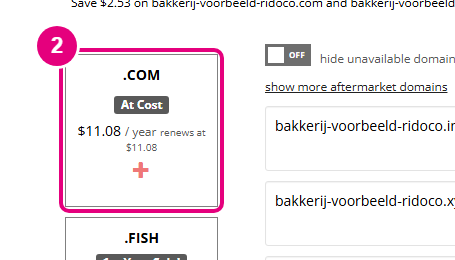
Ridoco recommends Porkbun. A .com costs $11.08 a year there, and the renewal costs the same (price on 5 October 2026). Prices change: check the registrar's site. Porkbun's site is in English and charges in dollars. Ridoco gets nothing from STRATO or Porkbun.
Already have a domain name? Go to step 4. Prefer a site in Dutch? The Dutch guide uses STRATO.
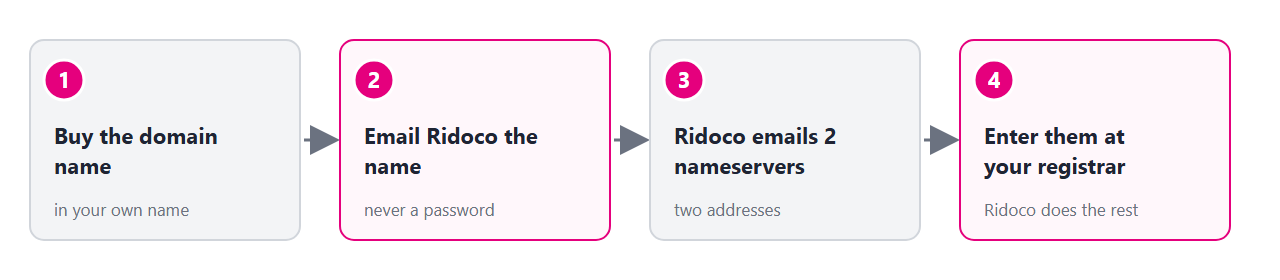
1. Search for your name
Go to porkbun.com. Type the name, for example bakery-example, and click the search button.
You see a list of names with prices. Each available name has a + button.

2. Add the .com to your cart
Click the + under .COM. Then click the cart at the top right. It now shows $11.08 (1).

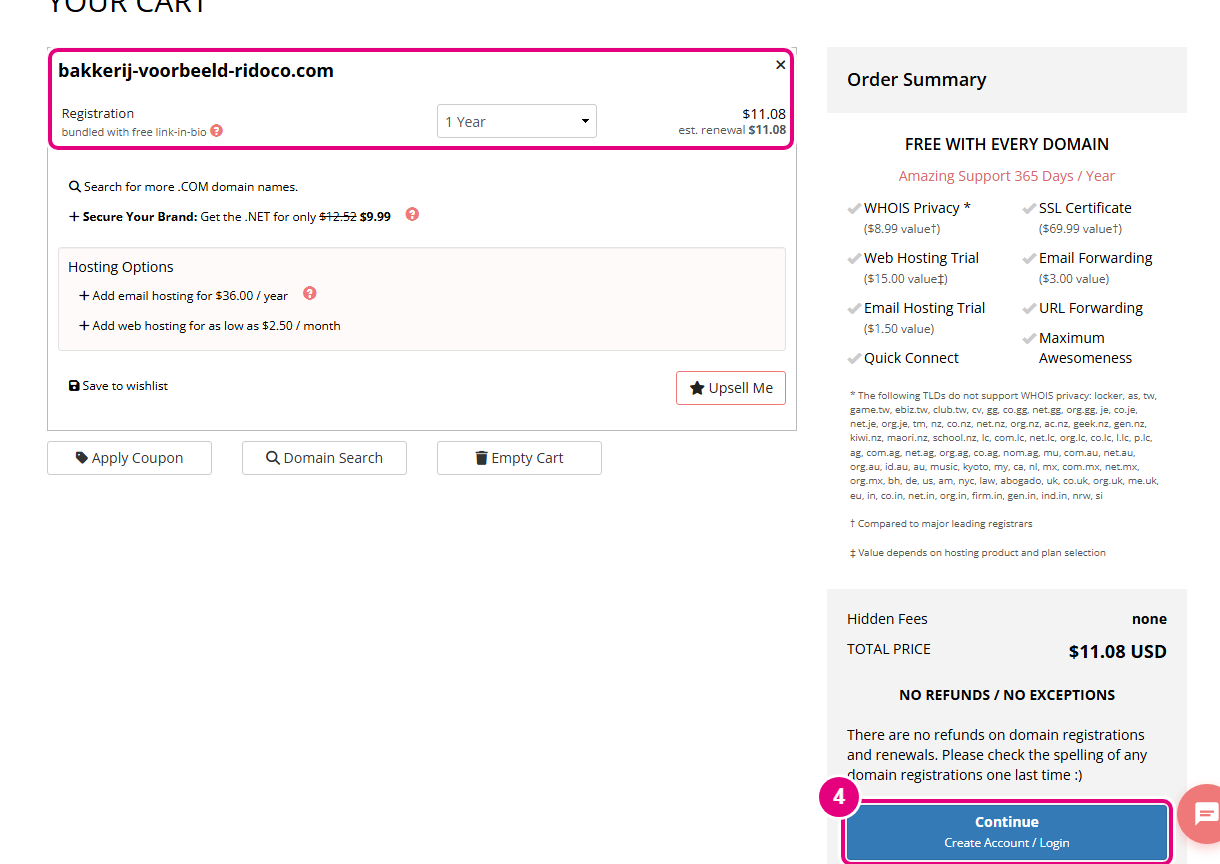
3. Check out
Check the spelling first: Porkbun gives no refunds on domain names. Click Continue, create an account and pay. Put the domain in your own name or your company's name. Skip the hosting and email offers.
4. Email Ridoco the domain name
Email only the name to contact@ridoco.com, for example bakery-example.com. Was it in your order already? Then this step is done.
Ridoco emails you two nameservers back. They are two addresses ending in .ns.cloudflare.com.
5. Enter the nameservers at Porkbun
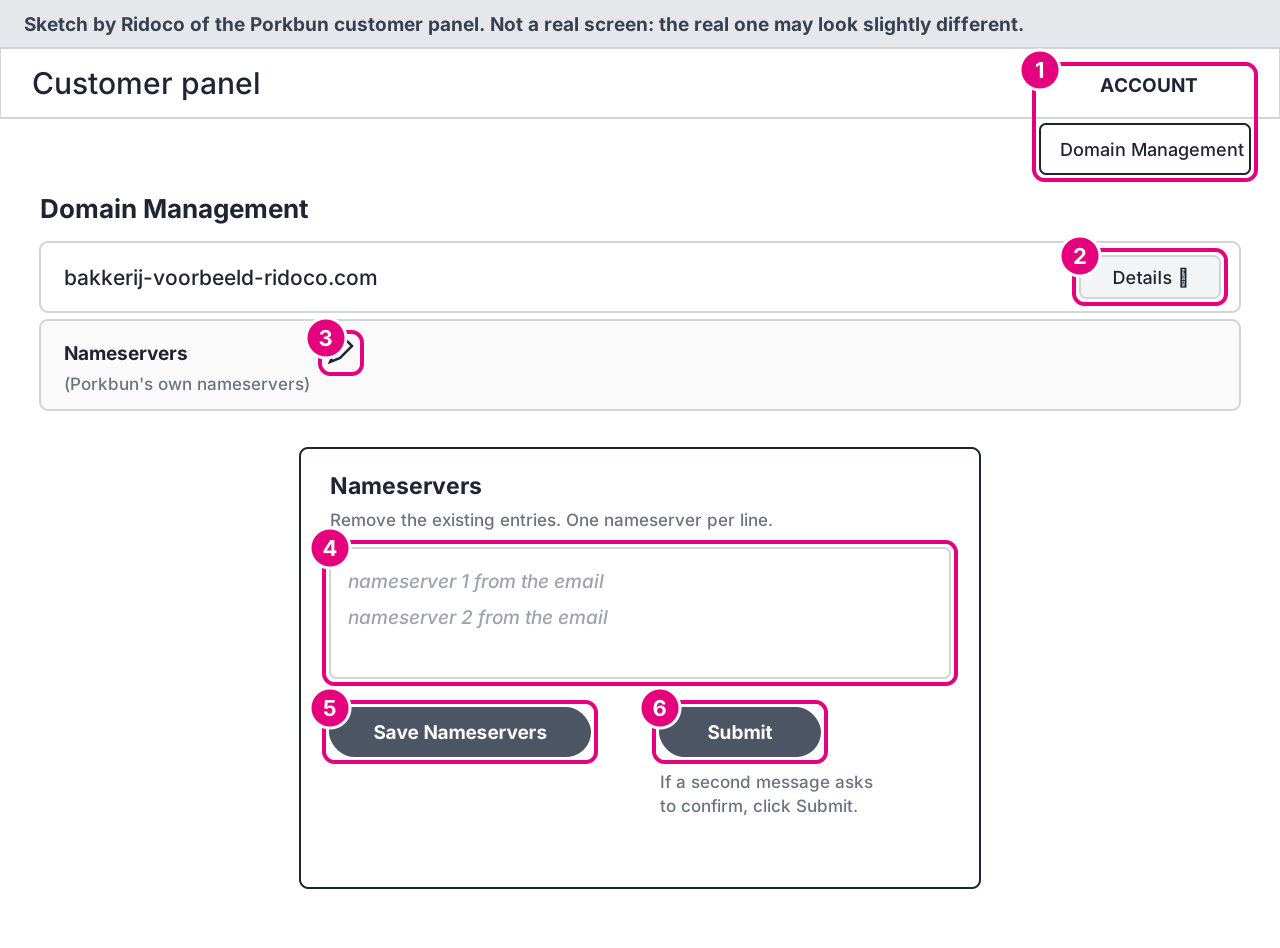
Log in to Porkbun. Go to ACCOUNT > Domain Management. Click Details next to your domain, then the edit icon next to Nameservers. Remove what is there, paste the two addresses from the email, one per line, and click Save Nameservers. If Porkbun asks you to confirm, click Submit.
It can take up to 48 hours before everyone sees your website on your domain. There is nothing else to do.
What Ridoco never needs from you
Your password, your Porkbun login or the transfer code (auth code) of your domain. Do not send them to anyone, even someone who asks in Ridoco's name.
Good to know
- Already have email on this domain? Say so in your email to Ridoco, and it keeps working.
- Keep auto-renew on. If the domain expires, your website goes offline.
- Stop renting the website? The domain name stays yours. Point the nameservers back to Porkbun, or use the name for a new website somewhere else.
The screenshots are from porkbun.com, taken on 5 October 2026 and cropped to the button or field each step is about. The pink box and the numbers are Ridoco's. Does the screen look different? Mail contact@ridoco.com.